
![[Company search guide] 5 simple steps to check whether a company name is available (with free feature tutorial)](https://setuphk.com/wp-content/uploads/2024/03/hk-company-transfer.jpg)

Table of contents
Before applying to form a company, you must confirm that the proposed name has not been registered by another company, otherwise the application will be rejected. This article gives the full steps for searching on ICRIS, and common points to note after the search.
- Searches must use the Companies Registry's ICRIS system, which is free to use 24 hours a day and needs no account registration.
- A search can only filter out identical names. Whether a name is “too similar” is still decided by the Registrar of Companies.
- The Chinese and English names must be searched separately; one search cannot cover both.
- A search result of “no record” does not mean approval is guaranteed. We suggest preparing 2–3 alternative names.
Step-by-step company name search
Here is a demonstration of how to search for a company name at the Cyber Search Centre:
Step 1: Go to the Companies Registry's Cyber Search Centre
The URL is: www.icris.cr.gov.hk. In most cases, simply choose the option for users without an account.

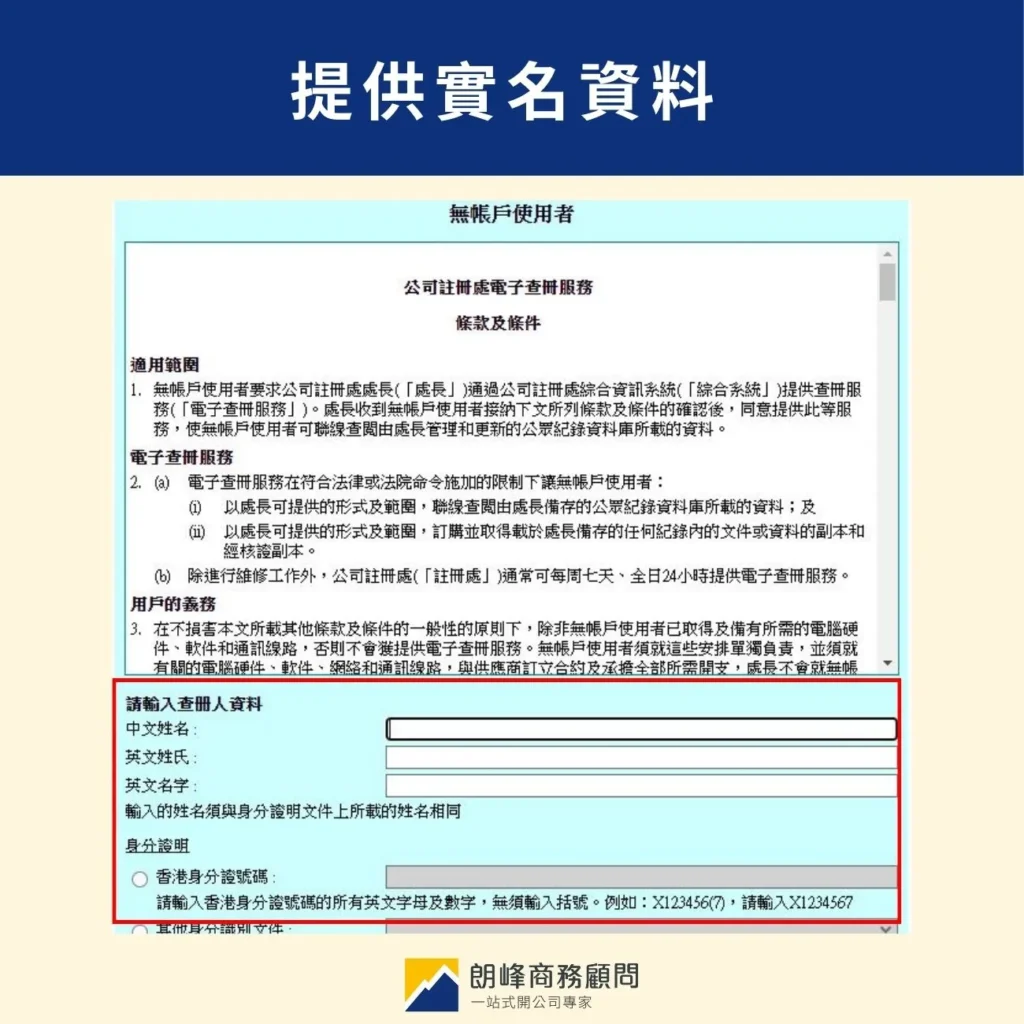
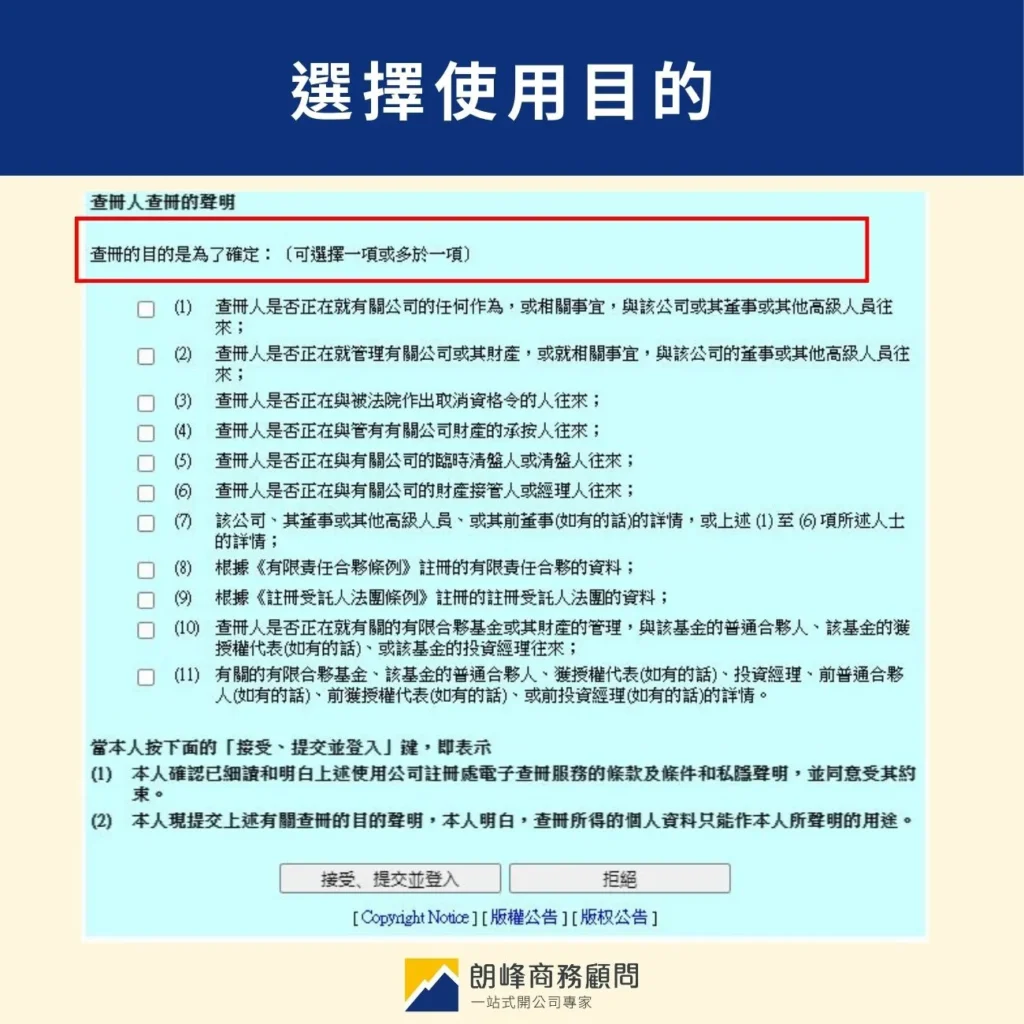
Step 2: Provide your real-name details and select the purpose of use
The system offers three languages: English, Traditional Chinese and Simplified Chinese. You need to provide the real-name details of the person searching, then enter the verification password and the purpose of the search.
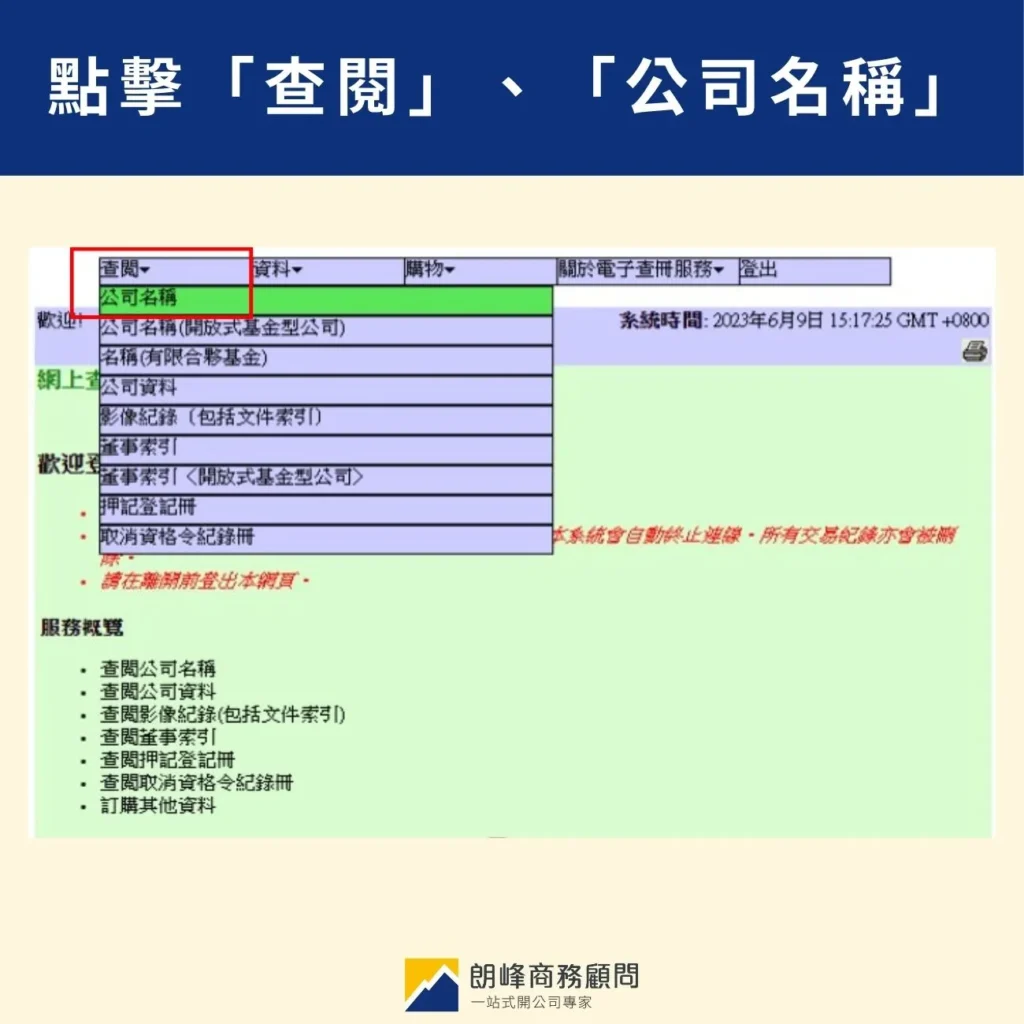
Step 3: Click “Search” and “Company Name”
Find the search services in the menu at the top, then select “Search” and “Company Name”.
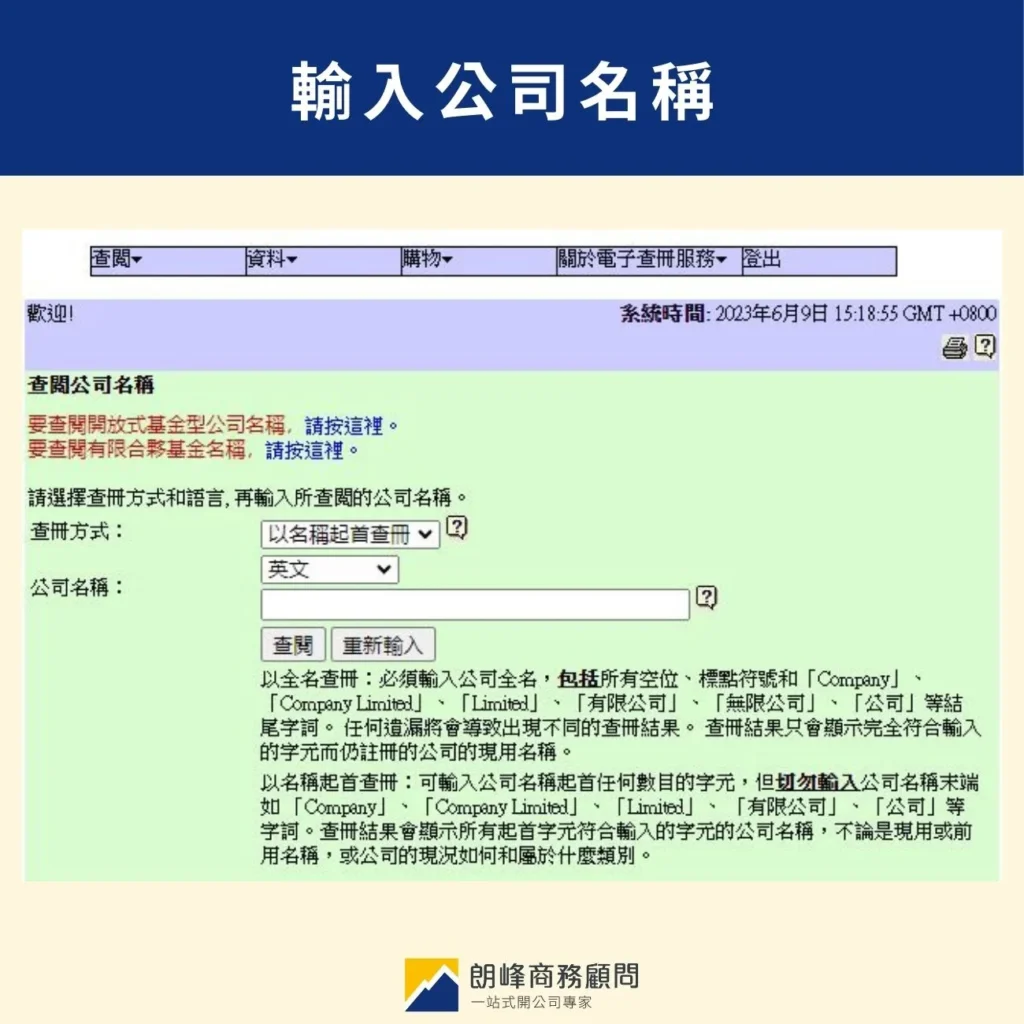
Step 4: Search by full name and enter the company name
You can choose the “search by full name” option, then select the language and enter the company name you want to check, to see whether the name has already been registered. Also, the Chinese and English names must be searched separately.
Step 5: Check the search result
Cannot be used
If the search result shows the company name's status as “Live”, the name is still registered and in use, so it can no longer be used.
Can be used
But if the search result shows “No record matches the search information entered”, the name is not registered or in use, and you may choose it as your company name.
The company search provides verifiable information for businesses and individuals and helps Hong Kong maintain a highly transparent business environment. Founders can first check at the Cyber Search Centre whether their preferred company name is available, to avoid having the application rejected when they submit it.
SetupHK reminds you: what else to watch out for after a company search
The search only filters out identical names
The ICRIS system only matches names that are exactly the same and cannot judge whether a name is “too similar”. Even if the search shows “no record”, the Registrar of Companies can still reject the application if it considers the name too similar to an existing company.
Prepare 2–3 alternative names
Prepare alternatives before the formal application, to avoid the delay of starting over after a rejection.
Search the Chinese and English names separately
They are separate search items. Confirming that the Chinese name is available does not mean the English name is also available, so each must be searched separately.
FAQ
Do company searches cost money?
Checking whether a company name is available is completely free and needs no account registration. If you want to view a company's detailed information (such as director and shareholder details), a fee is payable.
If the company search result shows “no record”, can the name definitely be used?
Not necessarily. ICRIS only filters out identical names, and final approval rests with the Registrar of Companies. Even if the search result shows the name as available, the application may still be rejected because the name is too similar to an existing company.
Can the Chinese and English names be searched together?
No. The Chinese and English names are separate search items and must be entered and searched separately.
How long after a company search is it valid for applying?
Search results have no validity period, but the status of a company name can change at any time. We recommend submitting the application as soon as possible after the search, so that someone else does not register your preferred name while you wait.
Summary
Making good use of an ICRIS search lets you rule out name problems before the formal application, greatly reducing the risk of rejection.
If you need help with the name search or preparing company formation documents, please contact the SetupHK advisory team. We offer a one-stop company formation service.
Further reading:
Hong Kong company formation quick guide: 6 steps, costs and required documents
3 things to prepare before setting up a company in Hong Kong
Hong Kong company name rules: naming and name search
